
Brand: your own name, logo and favicon
On this page you replace the 5sDesk name, logo and favicon with your own branding. Without your own details, your organisation shows the 5sDesk default. Only admins can see this page.
Where to find the page
Section titled “Where to find the page”Administration › Settings › System & Branding › “Brand”.
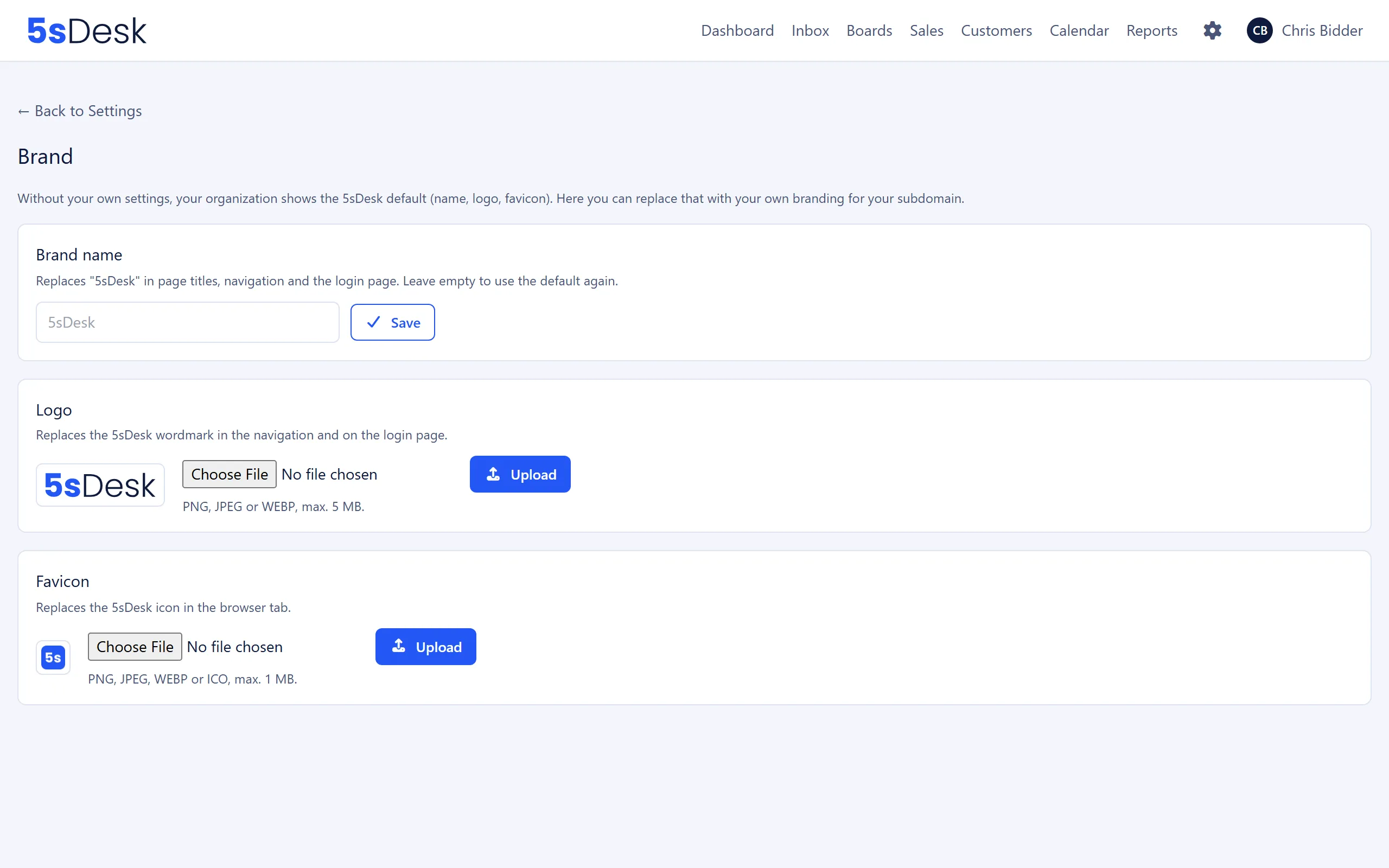
Settings at a glance
Section titled “Settings at a glance”Brand name
Section titled “Brand name”| Field | Meaning | Default |
|---|---|---|
| Text field (placeholder “5sDesk”) | Replaces “5sDesk” in page titles, the navigation and on the sign-in page. Up to 60 characters. Leave it empty to go back to the default. | empty (5sDesk) |
| Field | Meaning | Default |
|---|---|---|
| File upload with “Upload” | Replaces the 5sDesk wordmark in the navigation and on the sign-in page. PNG, JPEG or WEBP, up to 5 MB. | 5sDesk wordmark |
| “Reset to default” | Removes your own logo. Only appears if you have uploaded a logo. |
Favicon
Section titled “Favicon”| Field | Meaning | Default |
|---|---|---|
| File upload with “Upload” | Replaces the 5sDesk icon in the browser tab. PNG, JPEG, WEBP or ICO, up to 1 MB. | 5sDesk icon |
| “Reset to default” | Removes your own favicon. Only appears if you have uploaded a favicon. |
Each card has its own button. The brand name is applied with “Save”, the logo and favicon each with “Upload”.
What changes
Section titled “What changes”The brand name, logo and favicon appear in the agent area (navigation, page titles), on the agents’ sign-in page and in the customer area (header, sign-in page, page titles). In emails, the header still shows your organisation’s name, not the brand name.
After an upload, the old file is deleted and the new one is used immediately.
See also
Section titled “See also”- Customer portal: Where customers see your logo and brand name.
- Customer portal (settings): Introduction text, menus and languages of the customer area.
- Legal: Company details for the legal notice and signature.