
Customer portal
On this page you control your organisation’s customer portal: whether it is available, whether customers can sign in, which languages content appears in, and which links the header and footer show. Only admins can see this page.
Where to find the page
Section titled “Where to find the page”Administration › Settings › System & Branding › “Customer portal”.
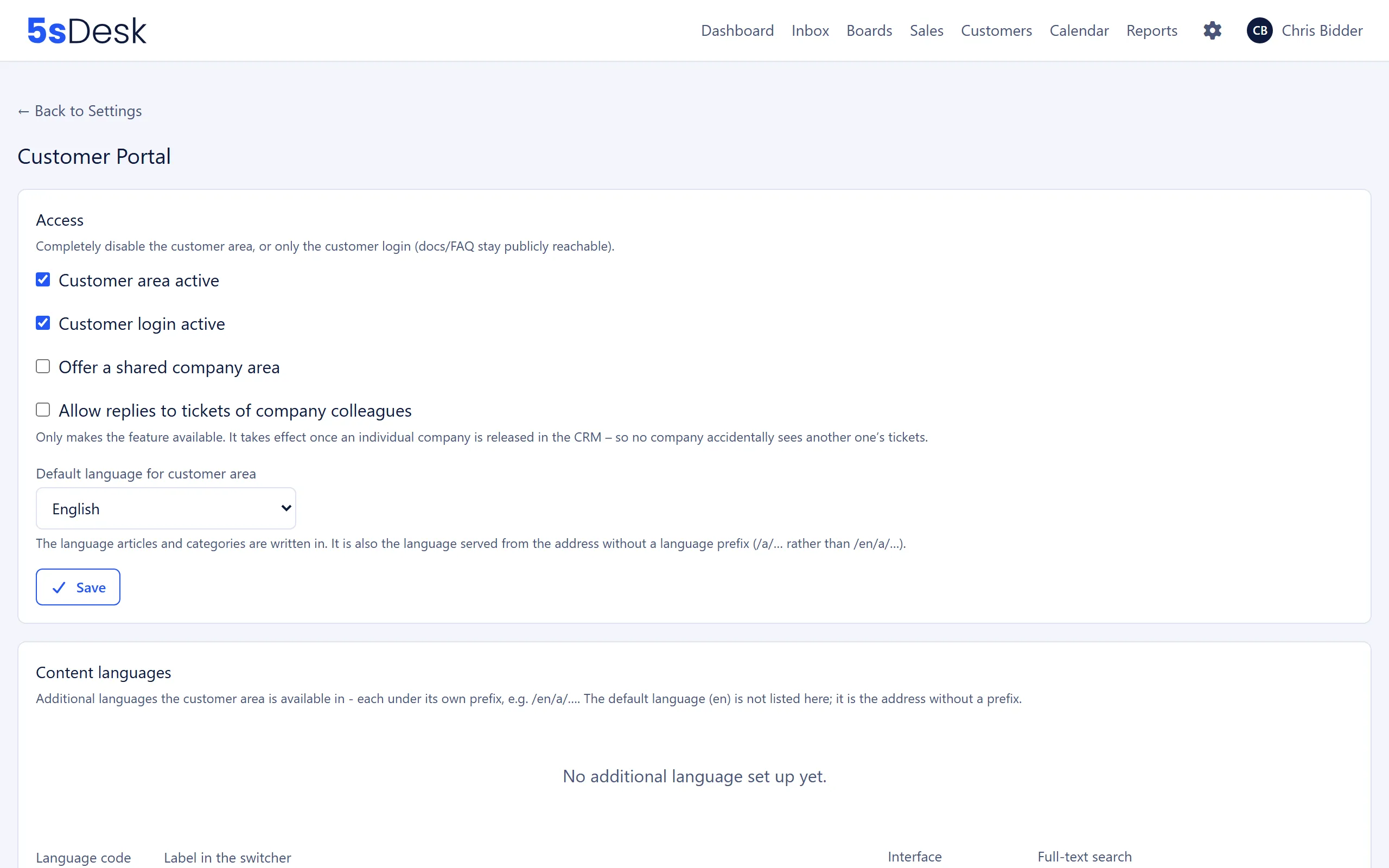
Settings at a glance
Section titled “Settings at a glance”Access
Section titled “Access”| Field | Meaning | Default |
|---|---|---|
| “Customer area active” | Switches the entire customer portal on or off. | on |
| “Customer login active” | Lets customers sign in with a magic link. Off: only login is blocked, docs and FAQ stay public. | on |
| “Offer a shared company area” | Makes the feature available that lets a company’s customers see their colleagues’ tickets. Only takes effect once you enable it for an individual company in the CRM. | off |
| “Allow replies to tickets of company colleagues” | Also allows replies to colleagues’ tickets. Requires the shared company area and the company’s “Reply” sharing level. | off |
| “Default language for customer area” | German or English. The language your articles are written in, and also the address without a language prefix. | Language of the admin who created the organisation |
Once translations exist, you can no longer change the default language. The selection is then greyed out with the hint “Locked while translations exist …”. You can still save the other switches.
What the switches do:
- “Customer area active” off: visitors see the page “Customer area currently unavailable”. The legal notice and privacy policy, public appointment booking, the marketing consent confirmation link and ticket attachments for agents stay available.
- “Customer login active” off: customers who are already signed in are also sent to the login page, where they see “Customer login is currently disabled.”
- Shared company area: both switches only enable the feature for the whole organisation. For each company, you decide in the CRM whether colleagues get no access, read-only access or can also reply.
Content languages
Section titled “Content languages”Additional languages the customer portal is available in, each under its own prefix such as /en/…. The default language is not listed here.
| Field | Meaning | Default |
|---|---|---|
| “Language code” | A code such as en or pt-br. |
|
| “Label in the switcher” | The name customers see in the language switcher, for example “English”. | |
| “Interface” | Language of the customer portal’s menus and buttons for this content language: de or en. |
|
| “Full-text search” | The database dictionary used for search. If there is no dedicated configuration for a language, “simple” is the right choice. | simple |
| “active” | Only active languages are available in the customer portal. | on |
Each row is a small form of its own with its own save button. Use the arrows to change the order in the switcher and the bin icon to remove a language. Translations already recorded are then kept but can no longer be reached.
The page rejects an invalid language code, the default language as an additional entry, and a language that already exists.
Content
Section titled “Content”| Field | Meaning | Default |
|---|---|---|
| “Intro text (above “How can we help?”)” | Text on the customer portal home page, with an editor. | empty |
| “Intro text ( |
Translation for each active content language. Empty means: the text in the default language is used. | empty |
| “Custom JavaScript (tag manager, cookie solution, etc.)” | Code that is embedded unchanged in every customer portal page and in public appointment booking. | empty |
Header menu and footer menu
Section titled “Header menu and footer menu”You manage both menus with “New link” and the edit page for each link. The header menu appears at the top of every customer portal page. The footer menu appears at the bottom of every customer portal page and also at the bottom of public appointment booking.
| Field | Meaning |
|---|---|
| “Label” | The visible text, for example “Help” or “Imprint”. |
| “Link” | The target. A path in the customer portal such as /c/erste-schritte or a full address such as https://example.com/impressum. |
| “Label per language” | Translation for each content language. Empty means: the label above is used. |
In the list, you change the order with the arrows and delete links with the bin icon after a confirmation prompt.
Effects
Section titled “Effects”- Translations of the legal notice, privacy policy, intro text and menu labels only become visible once the language is active here as a content language.
- Custom JavaScript and the footer menu also apply to appointment booking, regardless of whether the customer portal is active.
- Magic links for customer login are sent through the organisation’s mailbox. Without a connected mailbox, customers can’t sign in.
See also
Section titled “See also”- Customer portal: login, tickets, knowledge base and the company area from the customer’s point of view.
- Legal: legal notice and privacy policy.
- Brand: logo and brand name in the customer portal.
- Appointment booking: the public booking page, which the footer and custom JavaScript also affect.
- Custom fields: fields that customers see or edit in the customer portal.