
Mail attachments: allowed file types and size limits
On this page, you extend the list of file extensions that 5sDesk accepts as attachments. The list applies to incoming emails, uploads by agents, the customer portal, cards and the editor. Only admins can see this page.
Where to find the page
Section titled “Where to find the page”Administration › Settings › System & Branding › “Mail attachments”.
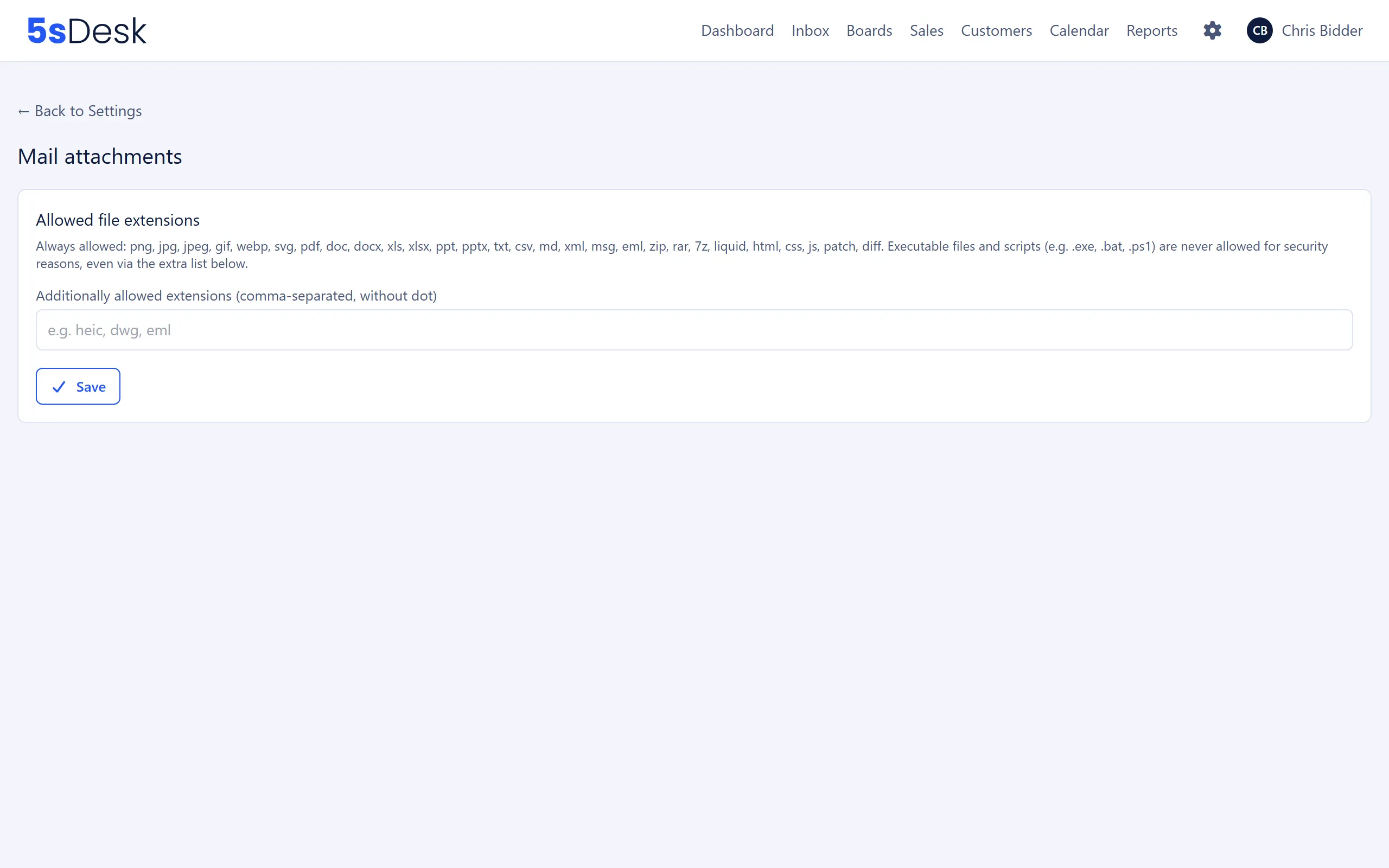
Settings at a glance
Section titled “Settings at a glance”| Field | Meaning | Default |
|---|---|---|
| “Additionally allowed extensions (comma-separated, without dot)” | More extensions to allow on top of the default list, for example heic, dwg. Upper and lower case and a leading dot are ignored. Extensions that are already on the default list are removed without notice. |
empty |
Always allowed
Section titled “Always allowed”These extensions are allowed without you doing anything:
png, jpg, jpeg, gif, webp, svg, pdf, doc, docx, xls, xlsx, ppt, pptx, txt, csv, md, xml, msg, eml, zip, rar, 7z, liquid, html, css, js, patch, diff
Never allowed
Section titled “Never allowed”Executable files and scripts are blocked for security reasons, even via the additional list:
exe, bat, cmd, com, sh, bash, ps1, psm1, vbs, vbe, jse, wsf, wsh, msi, msp, scr, jar, dll, cpl, gadget, application, apk, app
If you enter one of these extensions, the page refuses to save: “These extensions are not allowed for security reasons: …”. An extension with invalid characters or more than 10 characters gives “… is not a valid file extension.”
Restrictions by area
Section titled “Restrictions by area”The list is the basis for every upload route. Some areas remove extensions that a browser could run as an active document (including html, js, css, liquid, svg, xml):
| Area | Allowed |
|---|---|
| Email inbox and agent replies | The full list. |
| Customer portal, cards, editor | The list without active documents. |
Size limits
Section titled “Size limits”| Route | Per file | Per message | Number |
|---|---|---|---|
| Upload by agents (reply, forward, new message) | 20 MB | 25 MB | 10 files |
| Upload in the customer portal | 20 MB | 25 MB | 5 files |
| Upload to cards | 20 MB | 25 MB | 10 files |
| Incoming emails | 25 MB | 50 MB | no limit |
The 25 MB limit per outgoing message is deliberate: sending an email encodes the attachments, which makes them about a third larger. Many mailboxes do not accept anything bigger.
What this affects
Section titled “What this affects”If an attachment breaks the extension or size rules, it is discarded. The message itself is still processed.
- For incoming emails, the ticket history lists the discarded attachments under “… attachments were not kept:” with the file name and reason: “file type not allowed”, “blocked for security reasons”, “too large (…, at most … per file)” or “message exceeds … in total”.
- For the reason “file type not allowed”, admins see the link “Allow file type” next to it, which leads to this page. For the reason “blocked for security reasons”, there is no link, because the extension cannot be allowed.
- In the customer portal, the customer sees the same list with a note asking them to send the file another way.
- For uploads by agents or customers, the file is rejected as soon as it is uploaded, for example with “This file type is not supported: …” or “A file is too large. At most 20 MB per file.”
- Signature parts of signed emails (S/MIME, PGP) are not reported as discarded.
See also
Section titled “See also”- Email: attachments in the ticket history and when replying.
- Customer portal: uploads by customers.
- Boards and time tracking: attachments on cards.